

Reading Time:
6 minutes
Category:
UI/UX Design
A forward-looking breakdown of the 13 UI/UX design trends redefining digital products in 2026, from AI-powered workflows and bento grid layouts to privacy-first design and cognitive clarity.


A forward-looking breakdown of the 13 UI/UX design trends redefining digital products in 2026, from AI-powered workflows and bento grid layouts to privacy-first design and cognitive clarity.
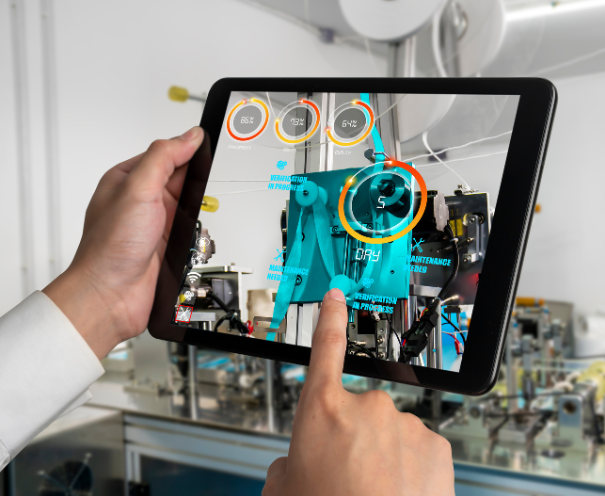
A forward-looking guide to the UI/UX design trends redefining digital products — from AI-powered workflows to cognitive clarity, bento layouts, and privacy-first design.
The landscape of UI/UX design is shifting faster than ever. From AI-driven personalization to immersive AR environments and privacy-first interactions, the trends shaping digital experiences in 2026 reflect a deeper expectation from users: technology that feels intuitive, inclusive, and human.
After years of visual complexity and AI hype, the industry is recalibrating. According to a recent survey of 100 UX designers by Lyssna, 73% say AI as a design collaborator will have the most impact on the field in 2026 — but 54% also flag that clients want to chase AI trends without clear use cases. The message is clear: smart execution matters more than novelty.
At WANDR, we track these shifts closely to help our clients build products that don’t just look good — they work for real people. Here’s what’s defining UI/UX design trends right now.
AI in 2026 is no longer an add-on feature — it’s woven into the design workflow itself. The most significant shift isn’t AI generating pretty mockups; it’s AI generating production-quality UI directly from a team’s actual component library.
This distinction matters enormously. Generic AI output requires hours of rework to align with brand guidelines and engineering specs. AI constrained to your real design system produces output that’s immediately usable — and that’s where the efficiency gains are actually being realized.
73%
of UX designers say AI as a design collaborator will have the most impact in 2026 (Lyssna)
What this means for your product: design teams should be investing in design systems that can serve as the “single source of truth” for both human designers and AI tools. The teams getting the most out of AI aren’t prompting their way to finished screens — they’re building the infrastructure that makes AI output reliable.
Beyond AI that responds to requests, 2026 is seeing the rise of agentic UX — interfaces where AI proactively completes tasks for users rather than waiting to be asked. Booking appointments, drafting responses, reorganizing dashboards, queuing follow-ups: these actions are now being delegated to AI agents within the product itself.
60%
of designers expect AI agents that take actions for users to be a top UI/UX trend in 2026 (Lyssna)
The UX design challenge here isn’t technical — it’s about trust and transparency. Users need to understand what the agent did, why it did it, and how to undo it. Interfaces that surface AI actions clearly and make them reversible will win; those that act invisibly will erode trust quickly.
One of the sharpest pivots in 2026 UI/UX design trends is a move away from sensory richness toward cognitive clarity. Last year’s focus on immersive effects, layered depth, and flashy animations is giving way to something more disciplined: does this design reduce effort?
Motion is no longer decorative — it’s structural. Animations in 2026 exist to communicate what just happened, what is happening, and what will happen next. Skeleton screens, smooth state transitions, and subtle attention cues replace visual performance for its own sake.
The measure of good motion design in 2026 is whether it reduces cognitive load — not whether it looks impressive in a Dribbble shot.
Bento grid layouts — modular, card-based designs inspired by the compartmentalized Japanese lunchbox — are one of the defining visual UI/UX trends of 2026. They replace the traditional linear scroll with a dynamic, scannable arrangement of content blocks at varying sizes.
The data behind this trend is telling: research shows only about 1% of users click on carousel slides at all, and within that group, 89% of clicks go to the first slide. Bento grids solve this by displaying multiple content pieces simultaneously, giving users control over what they engage with.
Beyond information architecture, bento layouts create visual rhythm, support responsive design elegantly, and work exceptionally well for feature showcases, pricing pages, dashboards, and portfolio sections.
Personalization in UI/UX design has moved well beyond content recommendations. In 2026, the most competitive digital products use adaptive interfaces that restructure layouts, reorder navigation, adjust information density, and surface tools based on individual user behavior, role, and context.
What adaptive personalization looks like in practice:
The key design principle: every adaptive change should be transparent and reversible. Personalization that feels like the product is reading minds builds trust. Personalization that feels arbitrary or invisible breeds confusion.
Accessibility is no longer a compliance exercise or a nice-to-have. By 2026, designing for users with visual, cognitive, motor, and hearing differences is an industry standard — and falling short carries real legal and reputational risk.
53%
of designers expect AI-powered accessibility tools and testing to have a major impact in 2026 (Lyssna)
The 2026 definition of inclusive design has also expanded. Neurodivergent users — including people with ADHD, dyslexia, and autism — are now explicitly considered in wireframing and interaction design, not as an edge case but as a core user segment.
Practical checklist for 2026 accessibility:
Augmented and virtual reality have matured past the demo phase. In 2026, they’re production-grade tools for specific use cases — not replacements for 2D interfaces, but genuinely superior solutions in the right contexts.
Where spatial design is proving its value:
The design guidance for 2026 is straightforward: adopt spatial elements only where they genuinely improve comprehension or engagement. A 3D spinning logo adds nothing. A 3D product visualization that users can rotate and inspect transforms the purchase decision.
UI/UX design is expanding beyond what users see. Haptic feedback, spatial audio, and intentional motion are being layered into interactions to create experiences that are richer and more memorable — especially on mobile, where touch is the primary input.
Micro-interactions that include a subtle vibration when a form submits, a sound cue when a file uploads, or a satisfying animation when a task completes all do the same thing: they reinforce actions and reduce user uncertainty. Done well, multisensory design makes a product feel alive. Done poorly, it’s just noise.
As AI becomes embedded in more product experiences, a critical UI/UX design trend is emerging: users want to know when they’re interacting with AI. Transparent AI disclosure — clearly signaling when content was AI-generated, when a response came from an AI agent, or when a recommendation was algorithmically driven — is becoming both an ethical expectation and a competitive differentiator.
47%
of designers say transparent AI disclosure will be a major UI/UX trend in 2026 (Lyssna)
Interfaces that hide AI involvement are increasingly generating backlash. Products that surface it clearly, explain it simply, and let users override or opt out are building the kind of trust that drives retention.
Privacy is moving from a legal requirement to a design language. Users in 2026 are more aware of data collection than ever, and the products that build trust fastest are those that make privacy choices visible, understandable, and genuinely opt-in.
Privacy-first UI/UX design patterns include:
This trend is especially important for products in healthcare, fintech, and any category dealing with sensitive user data. Privacy-first design is increasingly a purchase signal, not just a compliance requirement.
Voice UI has moved well past smart speakers. In 2026, voice interfaces are being designed into productivity tools, healthcare applications, automotive software, and accessibility-first products. The design challenge has shifted from “can it understand me?” to “does it respond in a way that feels natural and efficient?”
Conversation flow design, graceful error handling, and system personality are now core VUI design problems. Hybrid interfaces — where users can use voice or touch interchangeably within the same flow — are becoming a practical standard for complex workflows.
Sustainable UI/UX design means reducing the environmental and performance footprint of digital products: optimized assets, leaner user flows, fewer unnecessary data transfers, and less processing overhead. In 2026, this is increasingly a client ask — especially in enterprise and B2B.
The business case is strong beyond ethics: sustainable design almost always produces a faster product, and page speed is directly correlated with conversion rates and search rankings. Doing the right thing and doing the efficient thing are the same thing here.
No-code and low-code platforms are compressing the gap between design and production. UX teams can prototype, test, and iterate at a speed that was previously impossible without heavy engineering involvement. In 2026, this is reshaping team structures, project timelines, and client expectations.
Designers who understand how to leverage these tools aren’t just faster — they’re more strategic, because they can validate ideas with real interactions before a single line of production code is written.
Just as important as what’s rising is what’s falling away. According to the Lyssna designer survey, several trends are losing momentum:
The common thread: anything that prioritizes visual novelty over clarity and usability is getting left behind.
Knowing the trends is one thing. Building them into a product that converts, retains users, and scales with your business is another. At WANDR, we combine strategic UX research with sharp interface design to create digital experiences that move the needle.
If you’re working on something and want to make sure it’s built for where UI/UX design is heading — not where it’s been — let’s talk.

The most impactful UI/UX design trends include AI as a design collaborator, agentic AI interfaces, cognitive clarity over visual complexity, bento grid layouts, adaptive personalization, accessibility-first design, AR/VR for specific verticals, multisensory interactions, transparent AI disclosure, privacy-first patterns, voice interfaces, sustainable design, and no-code prototyping. Together they reflect a shift toward products that are smarter, more trustworthy, and genuinely easier to use.
AI is transforming both the design workflow (generating UI from real component libraries, enabling faster iteration) and the product itself (adaptive personalization, agentic interfaces, AI-powered accessibility testing). The most important nuance: 73% of designers say AI as a collaborator will have the most impact — not AI as a replacement for design thinking.
A bento grid is a modular, card-based layout where content blocks of varying sizes are arranged simultaneously on screen — inspired by the Japanese bento lunchbox. It’s replacing carousels and linear scrolls because research shows carousels receive almost no engagement beyond the first slide. Bento layouts give users immediate access to multiple content pieces and create strong visual rhythm.
After several years of prioritizing visual immersion, animation, and aesthetic complexity, designers and users alike are recalibrating toward clarity. High switching costs are low — users can easily move to a competitor — so reducing cognitive friction is now a retention strategy. Motion, depth, and visual effects are being evaluated by one standard: do they help the user understand what’s happening?
Sustainable UX design focuses on reducing the environmental and performance cost of digital products: optimized assets, leaner user flows, less unnecessary data transfer. Beyond ethics, sustainable design produces faster products — and page speed directly impacts conversion rates and SEO rankings. It’s increasingly an explicit client requirement, especially in enterprise.

